HackerTube is a video discovery platform created by Andrej Karpathy that offers a different way to explore YouTube content. Instead of relying primarily on traditional recommendation feeds, it organizes videos that have been repeatedly recommended by members of the Hacker News community.
With thousands of videos collected from years of Hacker News discussions, HackerTube offers an interesting alternative for people who want to discover educational content, technology talks, programming tutorials, documentaries, and other worthwhile videos.
But what exactly is HackerTube? How does it work? Is it a replacement for YouTube? And if you discover an interesting video or creative idea, how can you turn that inspiration into your own AI-generated video?
This guide explores HackerTube, its features, how to use it, and how AI video creation tools can help you take the next step from watching videos to creating your own.
What Is HackerTube?

HackerTube is a community-driven YouTube video discovery platform created by Andrej Karpathy, an AI researcher and former director of AI at Tesla.
The project was introduced on October 31, 2026. Its central idea is simple: instead of letting a conventional recommendation algorithm decide what users should watch next, why not build a video discovery experience around videos that people in the Hacker News community have repeatedly recommended?
HackerTube collects YouTube video links shared in Hacker News discussions and uses AI-assisted processing to identify meaningful recommendations.
According to the project's initial announcement, its collection includes:
- 6,454 YouTube videos.
- Approximately 40,000 recommendation mentions and related comments.
- Recommendations collected from discussions spanning 2007 to 2026.
- 150 topics covering different areas of interest.
The project draws on a much larger collection of Hacker News discussions to identify videos that people have recommended over time.
The result is a curated video catalog designed to make discovering interesting content easier.
You can visit the official website at HackerTube.org.
For more details about the project's background and development, see Andrej Karpathy's original HackerTube announcement.
Who Created HackerTube?
HackerTube was created by Andrej Karpathy, a well-known AI researcher and computer scientist.
Karpathy introduced the project after becoming frustrated with the quality of recommendations on traditional YouTube feeds. He wanted a different way to discover videos that people genuinely considered valuable.
An interesting part of the project is how it was built.
Karpathy used Claude Code with Claude Opus 5.5 to build and deploy the website. Claude Sonnet was also used in the data-processing workflow to help filter and classify Hacker News comments.
According to his original explanation, the project took approximately two hours of active development work, with a few manual tasks involving API key creation, server setup, and domain registration.
The project attracted attention because it demonstrates how AI coding agents can help developers turn an idea into a working web application.
Why Was HackerTube Created?
Traditional video platforms often use recommendation systems designed to maximize engagement.
While these systems can help users discover new content, they can also repeatedly recommend similar videos, popular topics, and attention-grabbing thumbnails.
HackerTube explores another approach.
Its underlying assumption is that when multiple people independently recommend the same video in thoughtful discussions over an extended period, that video may be worth watching.
For example, a programming tutorial repeatedly mentioned in Hacker News discussions across several years could be valuable to someone learning software engineering.
This community-based approach gives HackerTube a different content discovery experience.
Rather than focusing only on what is trending, it provides another way to explore videos that have attracted recommendations from a technology-oriented community.
How Does HackerTube Work?
HackerTube combines public Hacker News discussion data, AI-assisted content filtering, video metadata, and a familiar video browsing interface.
Rather than hosting its own video library, it organizes references to YouTube videos and provides ways to explore them.

1. Collecting YouTube Recommendations from Hacker News
The first step is gathering YouTube links shared in Hacker News stories and comments.
Hacker News is a popular community where developers, entrepreneurs, researchers, and technology enthusiasts discuss programming, startups, science, artificial intelligence, and other topics.
Members frequently share videos to explain technical concepts, introduce research, demonstrate software, or recommend educational resources.
These discussions provide a source of community-curated video recommendations.
2. Using AI to Filter and Organize Comments
Not every YouTube link shared online represents a genuine recommendation.
Some links may be promotional, irrelevant, or included without meaningful discussion.
HackerTube uses AI-assisted processing to examine comments and filter out spam and low-quality entries.
The resulting collection focuses on videos that have received repeated recommendations from the community.
This helps distinguish videos that people repeatedly find useful from content that appears only once in a discussion.
3. Organizing Videos into Topics
After collecting and filtering video recommendations, HackerTube organizes the content into topics.
This makes it easier to explore videos based on personal interests rather than scrolling through an endless recommendation feed.
Users can explore subjects such as programming, technology, science, and other areas represented in the catalog.
4. Building a Familiar Video Browsing Experience
HackerTube presents its video collection through a YouTube-style interface.
It provides browsing features that help users discover content without needing to navigate thousands of individual Hacker News discussions.
The website also includes features such as browser-based viewing preferences, liked videos, watch history, and playlists.
Importantly, HackerTube does not replace YouTube as the original video hosting platform. It provides a discovery interface for videos that remain hosted on YouTube.
How to Use HackerTube
Getting started with HackerTube is straightforward. You can explore its video collection without creating a traditional user account.
Here is a simple walkthrough.
Step 1: Visit HackerTube
Open https://hackertube.org/ in your browser.
You can start exploring the available videos directly from the website.
Step 2: Explore Video Categories
Browse the available categories to find topics that interest you.
For example, if you enjoy artificial intelligence, you can explore AI-related discussions and videos.
If you are a developer, programming and software engineering content may be more relevant.
Step 3: Search for Interesting Videos
Use the search and browsing features to discover videos by topic or title.
You can explore different videos and identify content that matches your interests.
Step 4: Watch Videos
Select a video to watch it through the available YouTube playback experience.
You can also explore the original discussions to understand why Hacker News members recommended a particular video.
Step 5: Save Videos for Later
If you find something interesting, use the available features to like videos or add them to your watch-later collection.
This makes it easier to return to useful content without searching for it again.
HackerTube vs YouTube: What's the Difference?
HackerTube and YouTube both help users discover videos, but their approaches are different.
YouTube is a massive video hosting and distribution platform. It supports creators, subscriptions, advertising, live streaming, personalized recommendations, and many other features.
HackerTube is a smaller discovery-focused experience built around videos recommended in Hacker News discussions.
Here is a comparison:
| Feature | HackerTube | YouTube |
|---|---|---|
| Main purpose | Discover community-recommended videos | Host, distribute, and discover videos |
| Content source | YouTube videos mentioned on Hacker News | Videos uploaded by creators |
| Discovery approach | Community recommendation history | Personalized recommendation systems and search |
| Video hosting | Uses YouTube playback | Hosts and streams videos |
| Content categories | Curated topics | Extensive content categories |
| User accounts | No traditional account required to explore | Google account supports full features |
| Creator tools | Not a video publishing platform | Extensive creator tools |
| AI video generation | Not a built-in feature | Not its primary function |
Which Platform Is Better for Discovering Educational Videos?
It depends on what you want to watch.
YouTube is better if you want access to a huge variety of videos, follow specific creators, watch trending content, or publish your own videos.
HackerTube is interesting if you prefer exploring videos that have been recommended by technology-oriented community members over time.
For developers, researchers, and people interested in technology, HackerTube can be a useful additional source of video inspiration.
Neither platform is universally better. They serve different discovery needs.
Can You Create AI Videos with HackerTube?
No. HackerTube is primarily a video discovery platform, not an AI video generator.
You can use it to discover interesting videos, explore educational content, and find creative inspiration, but it does not provide a built-in system for generating original videos from text prompts or images.
However, discovering interesting videos can be the beginning of an AI video creation workflow.
For example, imagine that you discover a documentary about space exploration, an educational video about artificial intelligence, or a creative technology demonstration.
You might want to create your own short video inspired by the subject.
This is where AI video generation tools become useful.
If you want to create original video content, you need a dedicated AI video generator rather than a video discovery platform.
What's the Difference Between Video Discovery and AI Video Generation?
Video discovery and AI video generation solve two different problems.
Video discovery helps you find existing content worth watching.
Examples include:
- Finding educational videos.
- Discovering programming tutorials.
- Exploring documentaries.
- Learning about new technologies.
- Finding creative inspiration.
AI video generation helps you produce new visual content.
Examples include:
- Turning text prompts into videos.
- Animating static images.
- Creating cinematic scenes.
- Generating product videos.
- Producing social media content.
HackerTube belongs to the first category, while AI video generators belong to the second.
The two can complement each other: discover an interesting topic first, then use an AI video generator to create something original inspired by that idea.
Best AI Video Creation Tools to Explore in 2026

AI video generation has developed rapidly, making it possible to create videos without traditional filming equipment or advanced editing skills.
Different tools are designed for different creative workflows.
Here are three major types of AI video creation tools worth exploring.
1. Text-to-Video AI Generators
Text-to-video tools turn written descriptions into video clips.
For example, you could enter a prompt such as:
"A cinematic aerial view of a futuristic city at sunset, with flying vehicles moving between modern skyscrapers."
An AI video generator can use this description to create a corresponding visual scene.
This type of tool is useful for:
- Short promotional videos.
- Creative storytelling.
- Concept visualization.
- Social media content.
- Cinematic experiments.
2. Image-to-Video AI Generators
Image-to-video tools animate existing images.
You upload a photograph, illustration, or AI-generated image and describe the movement you want.
For example:
- Make a character walk through a city.
- Animate ocean waves in a landscape photograph.
- Add natural camera movement to a product image.
- Turn a static portrait into a cinematic video scene.
This is particularly useful for creators who already have visual assets but want to turn them into dynamic video content.
3. AI Video Editing and Enhancement Tools
Some AI-powered tools focus on improving existing video footage rather than generating an entirely new video.
Depending on the tool, these features may include:
- Removing unwanted backgrounds.
- Improving video quality.
- Generating subtitles.
- Removing silence from recordings.
- Creating short clips from longer videos.
- Applying visual effects.
These tools can help simplify video production and reduce the amount of manual editing required.
Where Can You Discover AI Video Generators?
If you are unsure which tool to choose, you can explore AIVideoMakers.org.
AIVideoMakers helps users discover AI video creation tools and explore different approaches to generating videos.
Whether you want to turn text into video, animate images, or experiment with AI-assisted video production, exploring different tools can help you find a workflow that matches your needs.
You can also try the AI Video Generator on AIVideoMakers to start creating videos from your own images and text prompts.
How to Turn a Video Idea into an AI-Generated Video
Finding an interesting video on HackerTube can inspire your next creative project.
You do not need to copy the original video. Instead, you can use its general subject or concept as inspiration for an original video.
Here is a practical workflow.
Step 1: Find an Interesting Topic
Start by exploring HackerTube.
Choose a subject that interests you, such as:
- Artificial intelligence.
- Space exploration.
- Technology and innovation.
- Nature and science.
- Programming and engineering.
Think about what kind of original video you would like to create around that subject.
For example, a documentary about space exploration might inspire you to create a cinematic scene showing a futuristic spacecraft approaching a distant planet.
Step 2: Develop Your Own Video Concept
Turn the topic into an original creative idea.
For example, if you discover a video about artificial intelligence, you could create a short cinematic introduction to the future of AI.
Consider the following elements:
- Main subject.
- Visual style.
- Environment.
- Camera movement.
- Video duration.
- Intended audience.
A clear concept makes it easier to write an effective AI video prompt.
Step 3: Choose an AI Video Generator
Visit AIVideoMakers.org to explore AI video creation options.
Different generators offer different capabilities, input methods, output quality, and pricing.
Some tools are better suited to text-to-video generation, while others focus on image animation or advanced visual effects.
Choose a workflow that matches your creative requirements.
Step 4: Enter a Prompt or Upload an Image
Depending on the generator, you can enter a text description, upload an existing image, or combine both.
For example, you could upload an image of a futuristic laboratory and enter this prompt:
"Create a cinematic video showing a futuristic AI research laboratory, with holographic interfaces, realistic lighting, glowing blue displays, and a slow camera movement."
A good prompt should describe the main subject, environment, visual style, and desired movement.
If you already have a reference image, image-to-video generation can help transform it into a dynamic scene.
Step 5: Generate, Review, and Improve Your Video
Generate your first video and review the result.
You may need to adjust the prompt, change the camera movement, or experiment with different visual styles.
For example, you can try:
- More realistic lighting.
- Slower camera movement.
- Different background environments.
- More natural subject movement.
- Alternative visual styles.
Once you are happy with the result, download the generated video and use it in your creative project.
The important idea is that video discovery can inspire new ideas, while AI video generation gives you a way to bring those ideas to life.
Ready to Turn Your Video Inspiration into Something New?
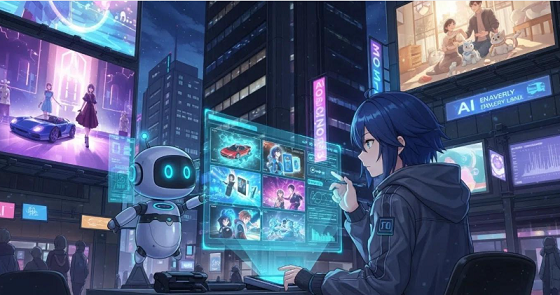
Discovering an interesting video is just the beginning. You can take inspiration from technology videos, AI tutorials, science documentaries, or creative experiments and turn those ideas into your own original videos.
With an AI video generator, you can start creating without a traditional video production setup.
Create Your Own AI Video in Three Simple Steps
- Choose Your Idea: Start with an interesting topic or concept you discovered on HackerTube.
- Describe Your Vision: Upload a reference image and write a prompt describing the scene, movement, and visual style you want.
- Generate Your Video: Use an AI video generation tool to bring your creative idea to life.
Ready to create something of your own?
Try the AIVideoMakers AI Video Generator →
Upload an image, describe the motion or scene you want, and start generating your own AI video.
Frequently Asked Questions About HackerTube
1. Is HackerTube Free to Use?
HackerTube is publicly accessible and does not require a traditional user account to explore its video collection.
You can visit the website and browse its available content directly.
2. Who Created HackerTube?
HackerTube was created by Andrej Karpathy, who introduced the project on October 31, 2026.
He used Claude Code and Claude Opus 5.5 to help build and deploy the website.
You can read more in his original project announcement.
3. Is HackerTube Related to YouTube?
HackerTube is not an official YouTube product.
It is an independent video discovery platform that organizes YouTube videos recommended in Hacker News discussions. The videos themselves remain hosted on YouTube.
4. How Does HackerTube Find Recommended Videos?
HackerTube processes YouTube links shared in Hacker News comments and uses AI-assisted filtering to identify meaningful recommendations.
Its initial collection contains thousands of videos recommended by community members over multiple years.
5. Is HackerTube Better Than YouTube?
They serve different purposes.
YouTube offers a massive video platform with creator tools, subscriptions, search, and personalized recommendations.
HackerTube provides an alternative way to discover videos based on recommendations from the Hacker News community.
Which one is better depends on your interests and viewing habits.
6. Does HackerTube Have an AI Video Generator?
No. HackerTube helps users discover existing videos rather than generate new ones.
If you want to create videos from text prompts or images, you need a dedicated AI video generation tool.
You can try the AIVideoMakers AI Video Generator to create videos using your own images and prompts.
7. Can I Use HackerTube to Find AI Tutorials?
Yes. You can explore its available topics and search for videos related to artificial intelligence, programming, technology, and other subjects.
The available content depends on the videos included in its collection.
8. What Are the Best Alternatives to HackerTube?
The best alternative depends on what you want to achieve.
If you want to discover educational content, YouTube and other video discovery platforms may be useful.
If you want to create original videos rather than discover existing ones, AI video generation platforms are more appropriate.
You can explore AIVideoMakers.org to discover tools for different AI video creation workflows.
9. What AI Video Generators Can I Use to Create Videos?
There are several types of AI video generators, including text-to-video and image-to-video tools.
Text-to-video tools create video clips from written descriptions, while image-to-video tools animate existing photographs or illustrations.
The right choice depends on your project, desired visual style, and available budget.
If you want to start creating videos from images and text prompts, try the AIVideoMakers AI Video Generator.
10. How Can I Turn Video Ideas into AI-Generated Videos?
Start by choosing an interesting topic, then develop your own original concept.
Write a prompt describing the subject, environment, visual style, and movement you want. You can also upload a reference image if your chosen generator supports image-to-video creation.
Finally, generate the video, review the result, and improve your prompt if necessary.
You can try the AIVideoMakers generator to get started with image-based AI video creation.
11. Can I Create Videos from Images Using AI?
Yes. Image-to-video generators can animate static images and turn them into short video clips.
Depending on the tool, you may be able to control camera movement, character motion, visual effects, and other aspects of the generated video.
From Discovering Videos to Creating Your Own
HackerTube introduces an interesting approach to video discovery: finding content that people in a knowledgeable online community have repeatedly recommended.
It is useful for exploring technology, programming, science, educational content, and other subjects that might otherwise be difficult to discover through traditional recommendation feeds.
However, discovering interesting videos is only one part of the creative process.
If a video inspires you to create something original, AI video generation tools can help turn that inspiration into a new project.
Whether you want to create cinematic scenes, animate images, or generate videos from text prompts, the right tool can make video production more accessible.
Ready to create your own AI videos?
Explore AIVideoMakers.org to discover AI video creation tools, or go directly to the AI Video Generator to upload an image, enter a prompt, and bring your ideas to life.